 Readhill
PDF reader, notebook and scanner for iPad and iPhoneWhat do you want to do today?
A PDF reader and notebook for iPad and iPhone. Thousands of pages without a stutter, a pen that feels like paper, and a scanner in your pocket.

- Free
- No account needed
- 11 languages
- Your files stay on your device
- iPad and iPhone

Even a PDF with thousands of pages opens smoothly.
Tabs, several bookmarks per page, contents and fast search.
PDF reader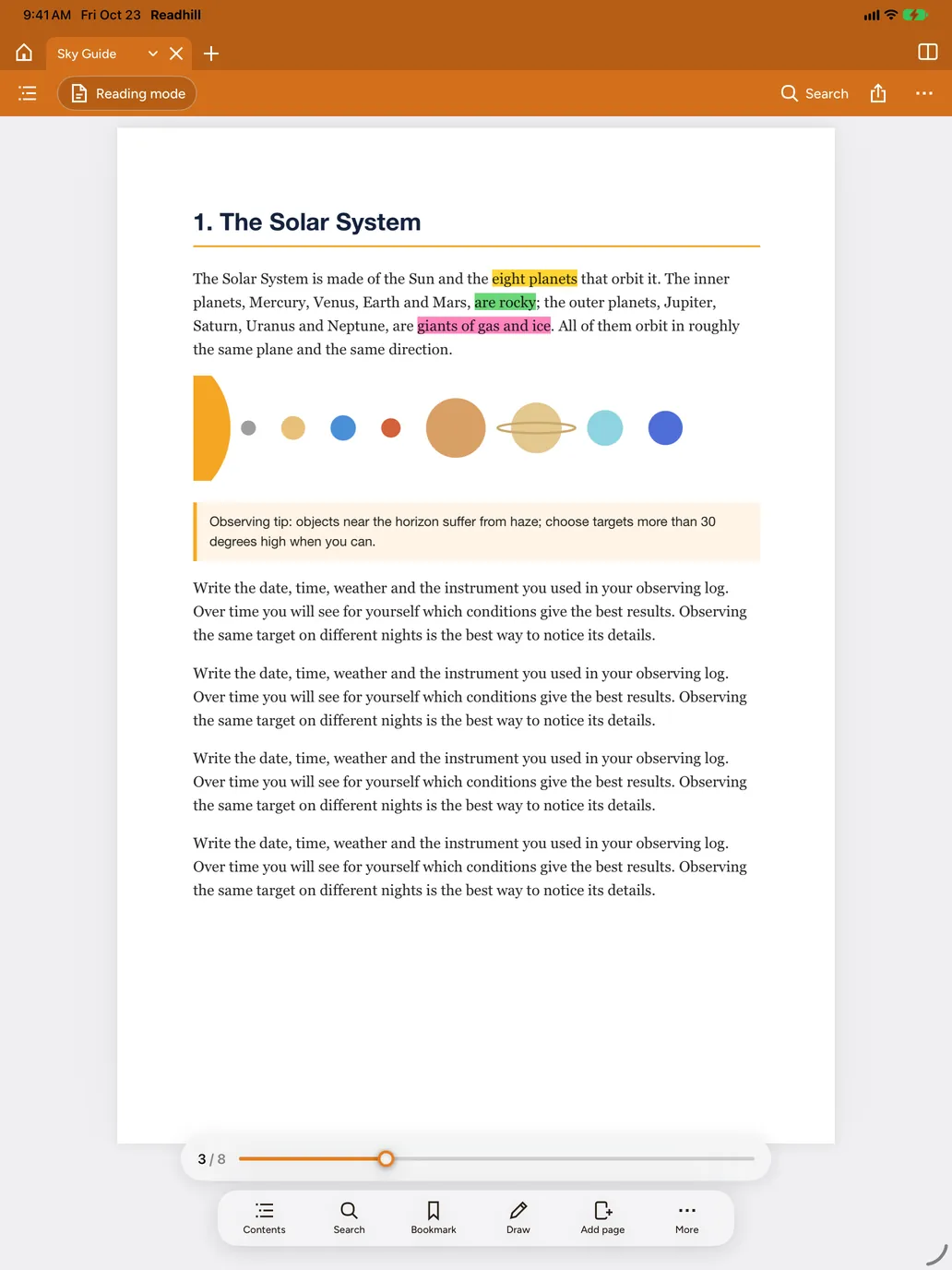

A scanner in your pocket.
Scan contracts, forms, receipts and class notes with the camera and get a clean PDF in colour, grey or black and white.
Document scanner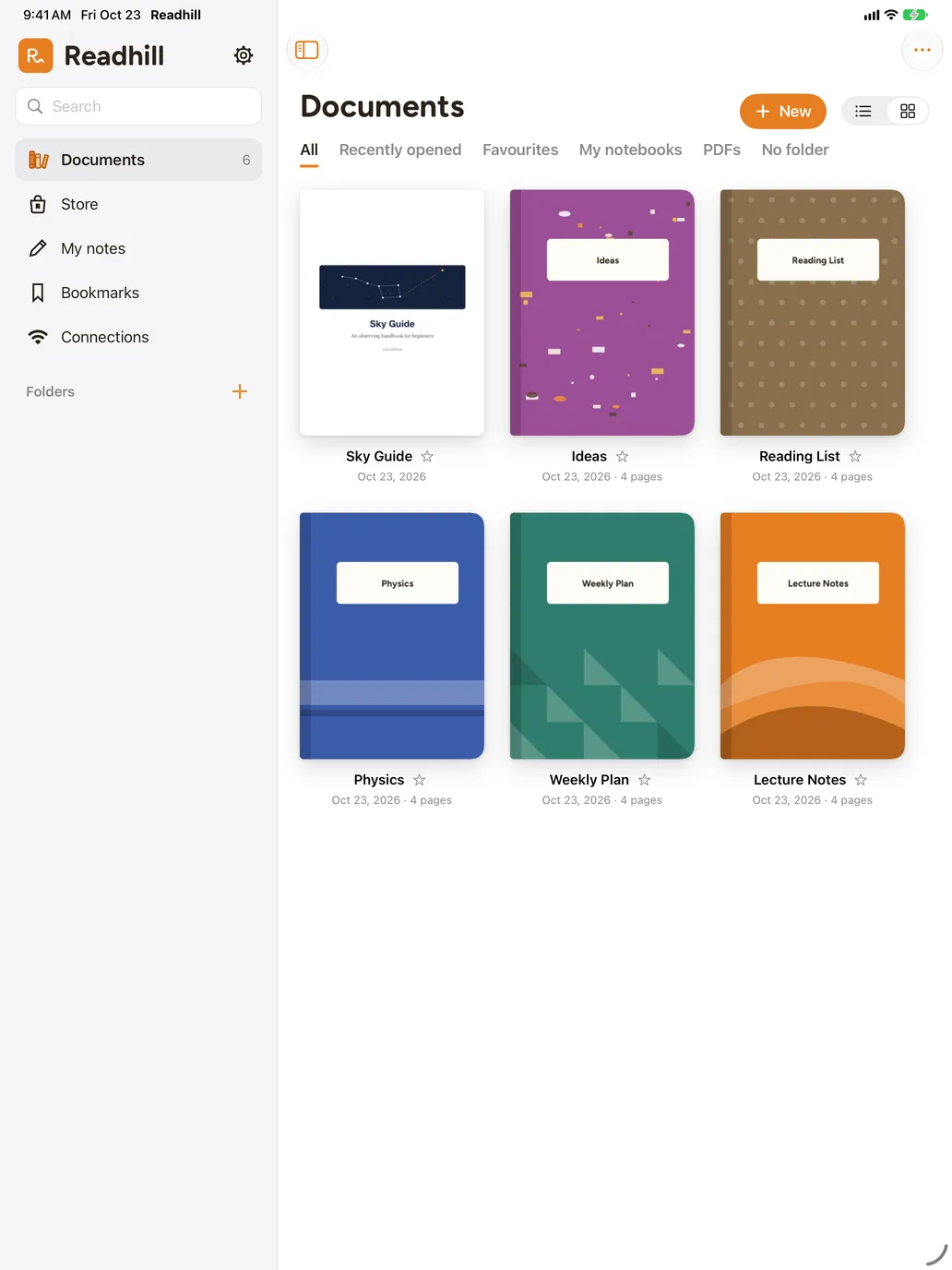
A pen that feels like paper.
Pressure-sensitive pens, shape recognition, lasso, tape, sticky notes and signatures.
Note taking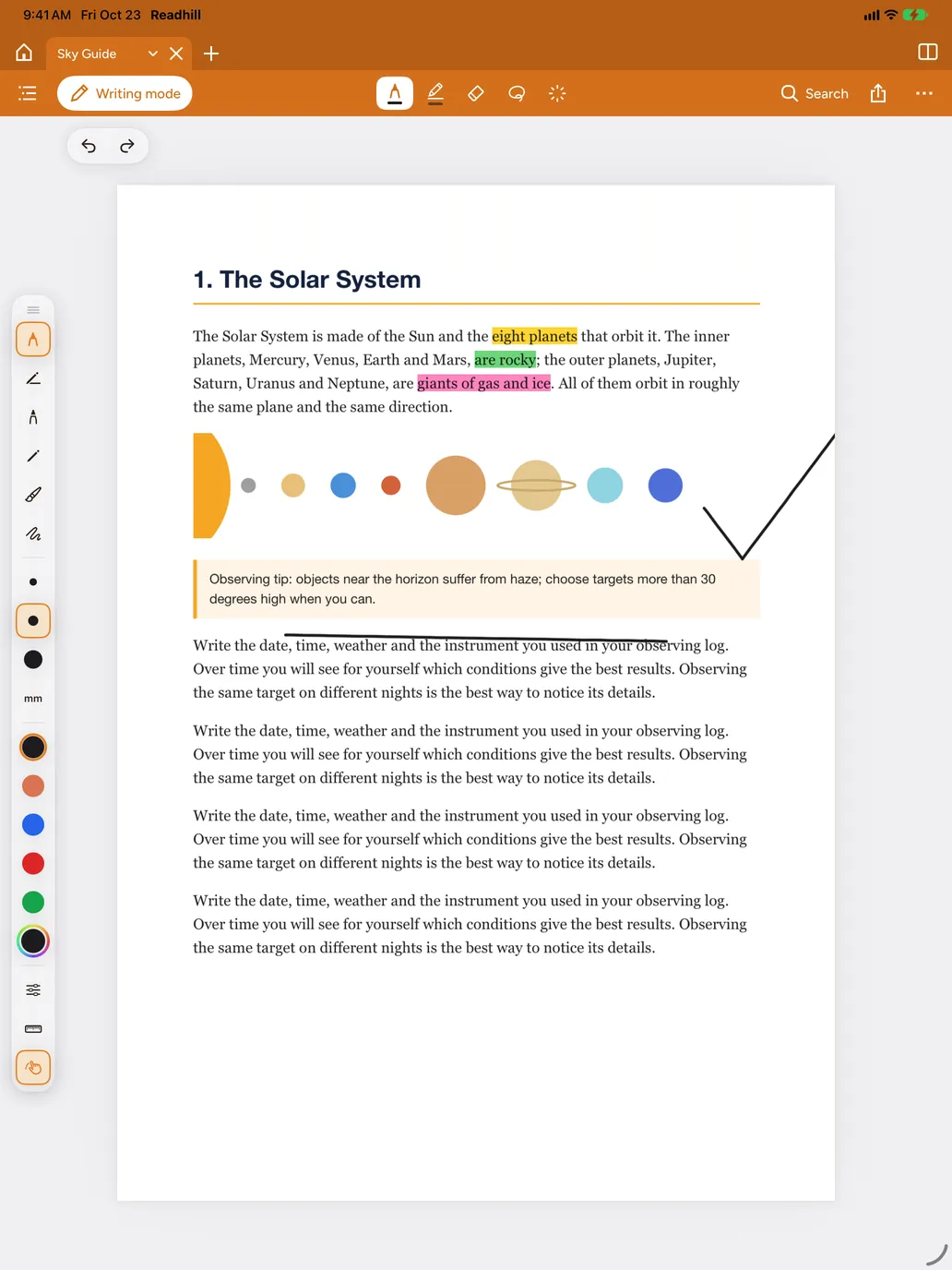
Everything you need, kept simple.
A powerful PDF reader and a comfortable notebook.
Search your handwriting.
What you write with the pencil is read and becomes searchable. On your device, offline.Synced foldersYour folders, always up to date.
Connect folders on a server and changed files download by themselves. Transfer from your computer over Wi‑Fi.TemplatesFree templates and covers.
Dated planner, Cornell, lined, grid and illustrated covers.Why Readhill?
It does the job of a PDF reader and a notebook in one app.
| What you need | Readhill | Typical PDF reader | Typical notes app |
|---|---|---|---|
| PDFs with thousands of pages | Smooth | It varies | Often slow |
| Writing with Apple Pencil | Yes | Limited | Yes |
| Folders synced from a server | Yes | Sometimes | Rarely |
| Free, without an account | Yes | It varies | It varies |
Your documents are yours.
No account, no ads. Your documents and notes stay on your device. Only anonymous usage counts are collected to improve the app, and you can turn them off in Settings.
A Readhill for everyone
Guides
All guidesHow to open large PDFs fast on iPad
Some apps slow down with large PDFs because they try to load the whole document. Readhill only loads the page you're looking at.Notes guide · 5 min readHow to take Cornell notes on iPad
The Cornell method splits the page into three: notes, cues and a summary. When you revise, you see at once what you don't know yet.PDF guide · 3 min readHow to merge and split PDFs on iPhone and iPad
Merge or split your documents on your device, without uploading them to a website.Frequently asked questions
Is Readhill free?
Yes. Reading, writing, scanning and every pack in the store are free right now. You don't need an account.
Which devices does it work on?
iPad and iPhone with iPadOS 17 or iOS 17 or later. You can write with Apple Pencil or your finger.
Can it open very large PDFs?
Yes. Readhill is built for manuals and books with thousands of pages. The document opens at once and pages load as you need them.
Does it work offline?
Yes. Reading, writing, scanning and handwriting search work without internet. You only need a connection to sync with a server or download from a link.
Can I bring my documents from another app?
Import PDFs from the Files app, send them to Readhill with Share from another app, or transfer them from your computer over Wi‑Fi.
Open your first page.
Download it free. No account needed.
Requires iPadOS or iOS 17 or later